![DQS_White_RGB-1.png]](https://learn.dqsglobal.com/hs-fs/hubfs/DQS_White_RGB-1.png?height=40&name=DQS_White_RGB-1.png)
1. Purpose
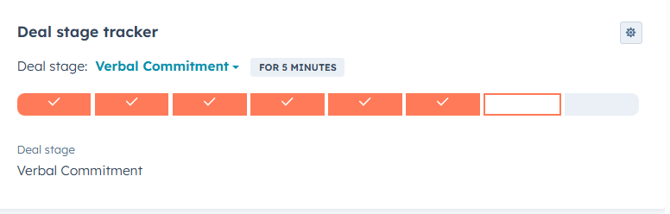
We would like to inform you that a new validation process will be introduced after moving a deal to closed won. As part of this update, we will introduce a new pipeline stage "Closed Won Validated" , which will initially be added to the New Hunting, Farming & Academy Pipelines.
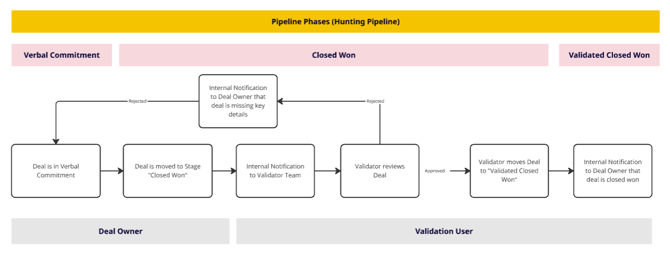
This article explains the Pipeline process from e.g. Verbal Commitment & Closed won to Validated Closed Won. It defines responsibilities, stage transitions, validation logic, and internal notifications to ensure a compliant and transparent deal-closing process.
2. Scope
This process applies to:
-
Deal Owners managing their deals without delays
-
Validation Team reviewing closed won deals
-
All deals transitioning from Verbal Commitment/Closed Won to Validated Closed Won
3. Pipeline Phases Overview
The process consists of three main phases:
-
Verbal Commitment
-
Closed Won
-
Validated Closed Won
Each phase includes system updates and internal notifications.
How This Affects Deal Owners:
- Restricted Movement to Validated Closed Won: Sales representatives will not have the ability to move deals directly to "Closed Won Validated." If you attempt to do so, HubSpot will block the action.
How will the New Deal Validation Process look like :
- Once a deal Owner moves the deal to "Closed Won," the validation process will begin. Your validator team will receive a notification to review the deal and all associated data.
- If the information is complete and accurate, your validator will proceed to move the deal to "Validated Closed Won." Deal Owner will be notified once a deal has been moved to " Validated Closed Won".
- If any discrepancies or missing details are identified, the deal will be returned to you for further review and necessary updates. You will be notified if a deal has been rejected and moved to "Closed Lost" (e.g. cases of cancellations) or "Verbal Commitment" (e.g. missing data or documentations; wrong amounts etc.).
4. Process Flow Description
Phase 1 – Verbal Commitment
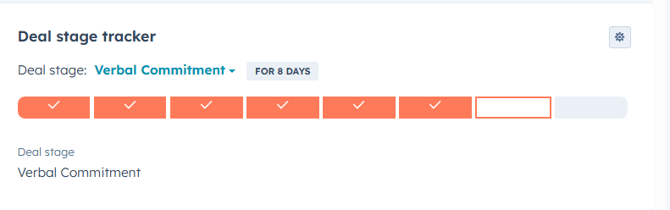
Stage: Deal is in Verbal Commitment
Action-Owner: Deal Owner
-
The customer has verbally committed to the deal.
-
Once the deal is moved to Verbal Commitment, you have the option to add validation notes directly to the opportunity. At this stage, Validation Note are optional
Phase 2 – Closed Won
Stage: Deal is moved to Closed Won
Action-Owner: Deal Owner
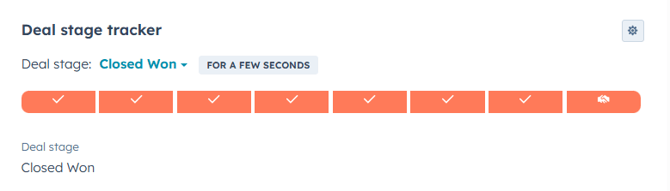
Step 1: Deal Owner Moves Deal to “Closed Won”
-
The Deal Owner updates the deal stage to Closed Won.
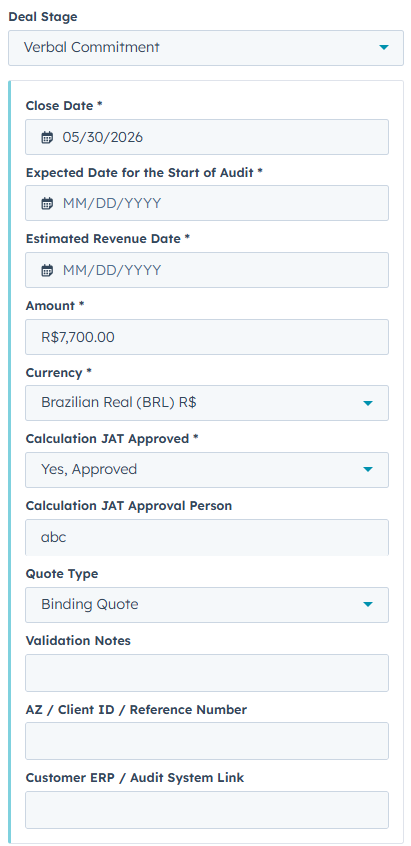
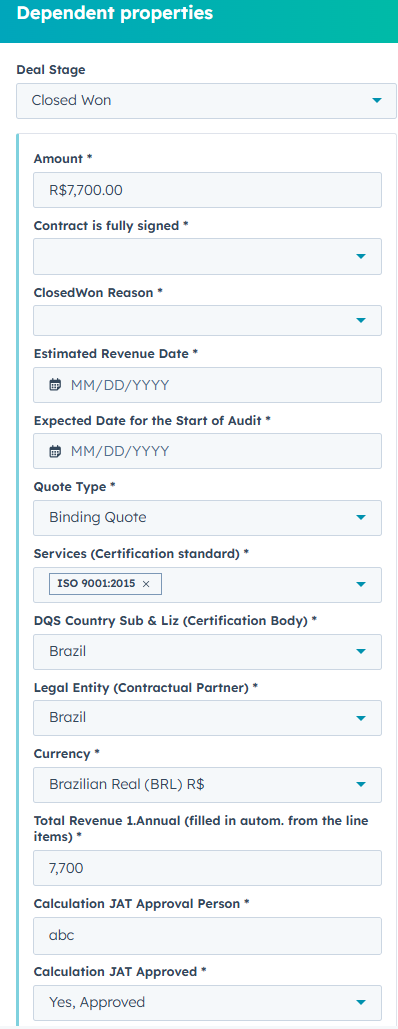
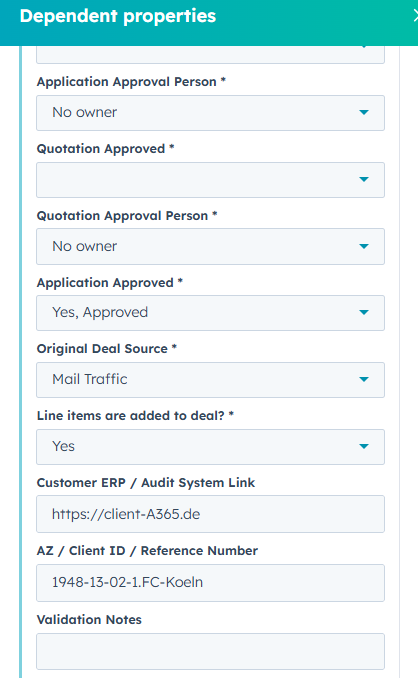
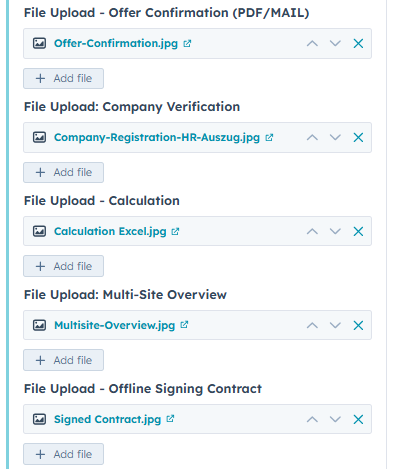
- The Deal Owner has the option to update the following deal field fields (see screenshot below):
- AZ / Client ID / Reference Number
- Customer ERP / Audit System Link
- Validation Notes
-
This action triggers an internal notification to the Validation Team.
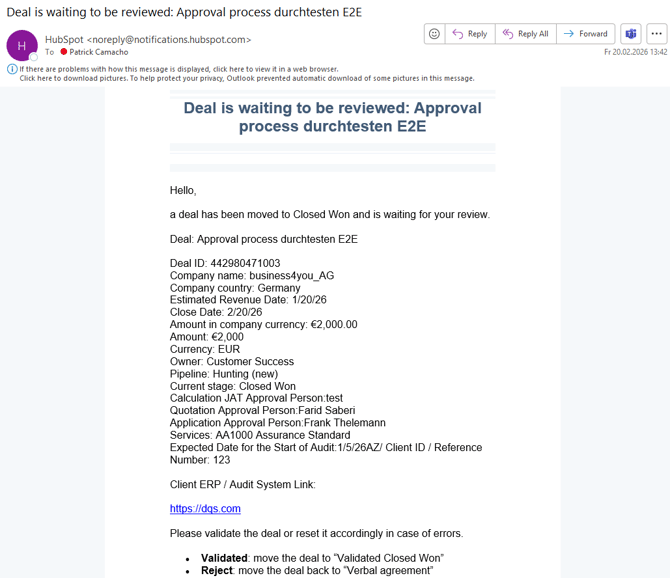
Step 2: Internal Notification to Validator Team
-
The Validation User/Team gets notified that a deal requires the review for validation.
Notification Example:
Step 3: Validator Reviews Deal
-
The Validator checks for:
-
Completeness of mandatory data
-
Accuracy of commercial details:
-
Amount / Amount in Company Currency
-
Currency,
-
Correct added Line Items / Products
- Match/Equal to Deal Amount
-
Attached Quotes OR/AND Contracts
- Attached Quote/Offer Confirmation from Client/Prospect
-
-
Opt./Add.: Compliance with internal guidelines AND/OR Checklists e.g. for specific products and regulations
-
Required documentation
-
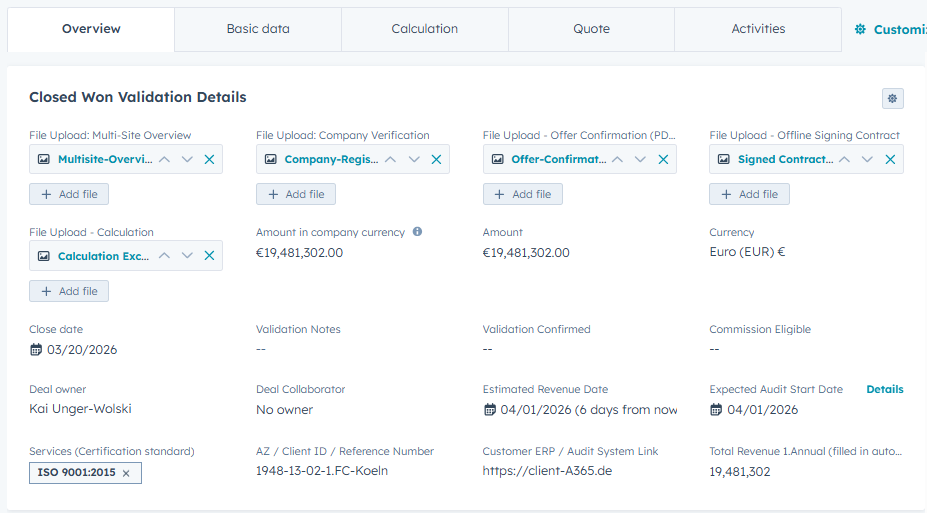
Quick Deal Review for Validations:
Deal -> Overview -> Closed Won Validation Details
Decision Point: Validation Outcome
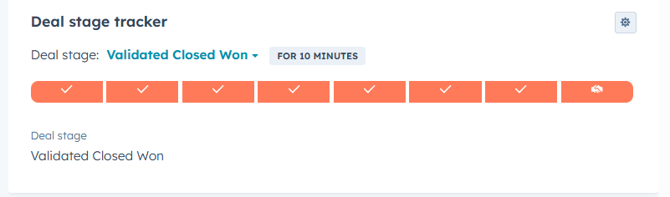
If Validated:
-
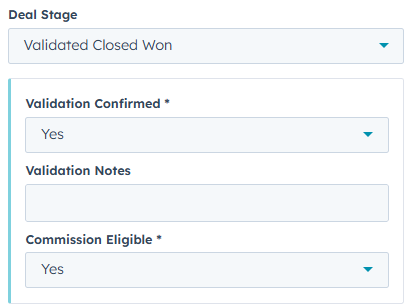
Validator moves deal to Validated Closed Won
- Select Validation Confirmed (YES)
- Select Commission Eligible (Yes OR No)
- Validation Notes are optional
-
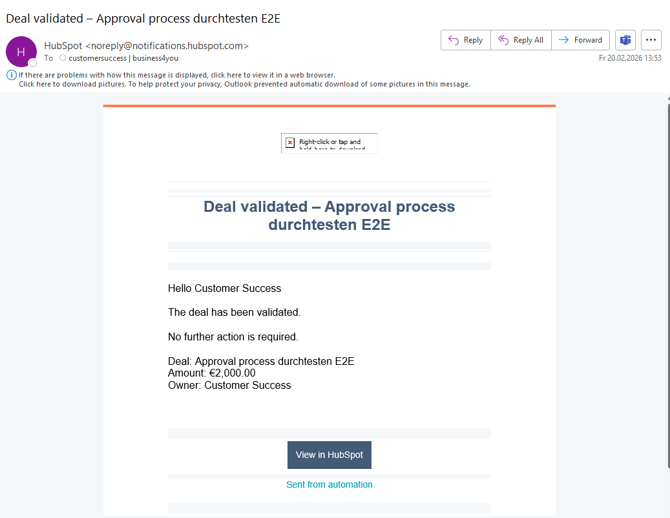
Internal notification is sent to Deal Owner confirming final closure
E-Mail Notification Example:
If Rejected:
-
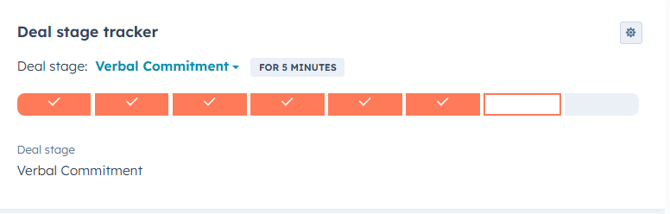
Validator moves deal back to Verbal Commitment and:
- Fill in Validation Notes with: Reason(s) for Rejection
-
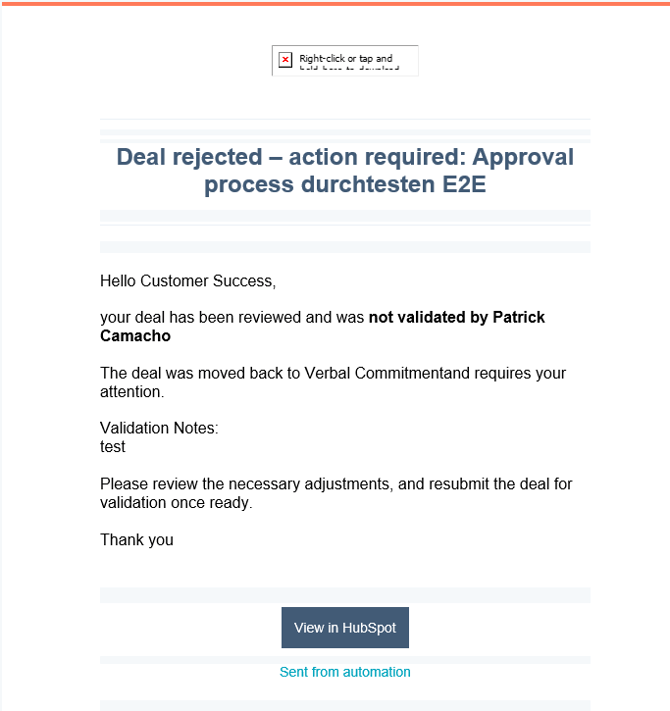
Internal notification incl. Validation Notes is sent to Deal Owner indicating missing key details
-
Deal remains or is reverted for correction at "Verbal Commitment" stage
-
Deal Owner updates required information
- Process re-enters validation review
OR - Deal is moved to "Closed Lost" after Cancellation (e.g. from client after closing)
E-Mail Notification Example
Phase 3 – Validated Closed Won
Stage: Validated Closed Won
Action-Owner: Validation User
The deal is formally validated.
-
All required information is complete and compliant. incl.
- Validation Confirmed (Yes)
- Validation Notes (optional)
- Commission Eligible (Yes/No)
-
The deal is considered fully validated and closed won.
5. Roles & Responsibilities
Deal Owner
-
Manage deal lifecycle
-
Ensure completeness before moving to Closed Won
-
Correct data if validation rejects the deal
-
Act on validation feedback
Validation User
-
Review Closed Won deals
-
Validate or reject based on compliance criteria
-
Ensure data accuracy and completeness
-
Communicate validation results
6. Notifications Overview
| Trigger | Recipient | Purpose |
|---|---|---|
| Deal moved to Closed Won | Validation User | Request validation |
| Deal rejected | Deal Owner | Missing/incorrect details |
| Deal validated | Deal Owner | Confirmation of Validated Closed Won |
7. Control & Governance Principles
-
No deal is considered for commision calculations without validation.
-
Validation ensures reporting accuracy and compliance (e.g. for GSIP).
-
Closed Won ≠ Validated Closed Won.
-
Data completeness is mandatory before final validation.
Quick Review Details in Deals:
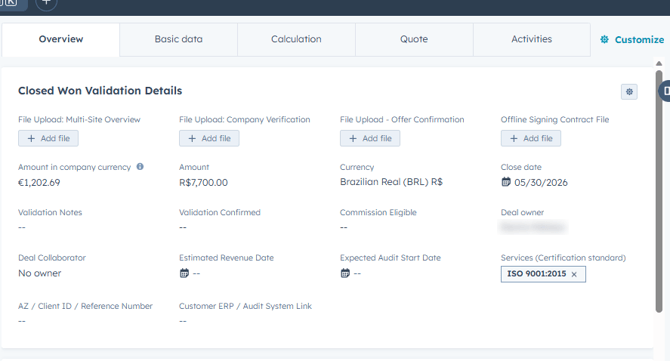

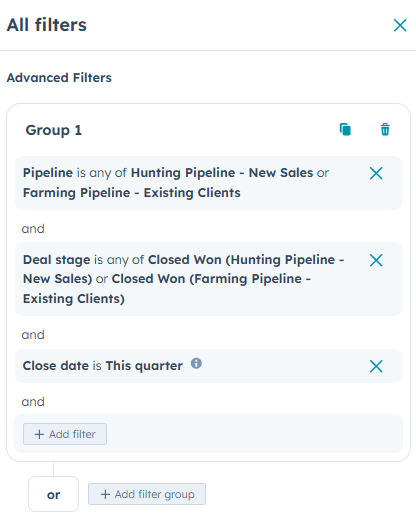
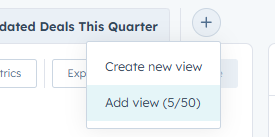
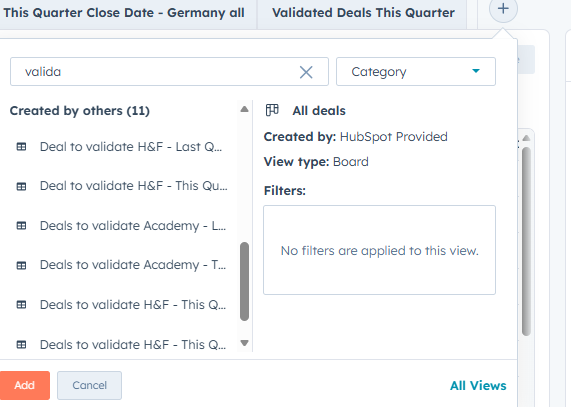
-> and other views are prepared to add individual views for Validator Roles:
8. Key Benefits of This Process
-
Increased data quality
-
Clear separation of commercial and validation roles
-
Reduced reporting errors
-
Improved compliance and audit readiness
-
Transparent ownership and accountability
_______________________________________________________________________________________
9. Summary
A deal progresses through:
Verbal Commitment → Closed Won → Validated Closed Won
Validation acts as a quality gate ensuring only fully compliant and complete deals reach final status.